SEO consultants are reporting a rise in Google manual action notices following Google’s latest spam update, including on normal, long-running business websites. If your traffic has dropped lately, or you simply want peace of mind, there is a free five-minute check you can do today. If you want a second pair of eyes, our digital marketing team can walk through it with you.
First, let us be clear about what is known and what is only talk.
What Is Actually Being Reported?
A few well-known SEO consultants say they’re seeing more manual actions than usual. Marie Haynes, who has handled manual-action cases for many years, posted that requests for help have jumped from almost none to several a week. Most involve thin content, pure spam or scaled content, and most of the sites are “legitimate long standing businesses.” She also noted it’s nowhere near the level of the penalty wave Google ran over a decade ago.
Daniel Foley Carter, another SEO consultant, said some sites lose more than 90% of their traffic overnight. He linked the rise to SEO shortcuts, scaled content, and businesses cutting their SEO budgets on the assumption that AI could do the work.
Here is the honest part. Google has not confirmed any increase. The evidence is a handful of consultants’ inboxes and a steady trickle of posts in Google’s help forums, not a flood. So treat this as a “keep an eye out” signal, not a proven wave.
Manual Action vs. Algorithm: What Is the Difference?
This is the key idea, and it is simple:
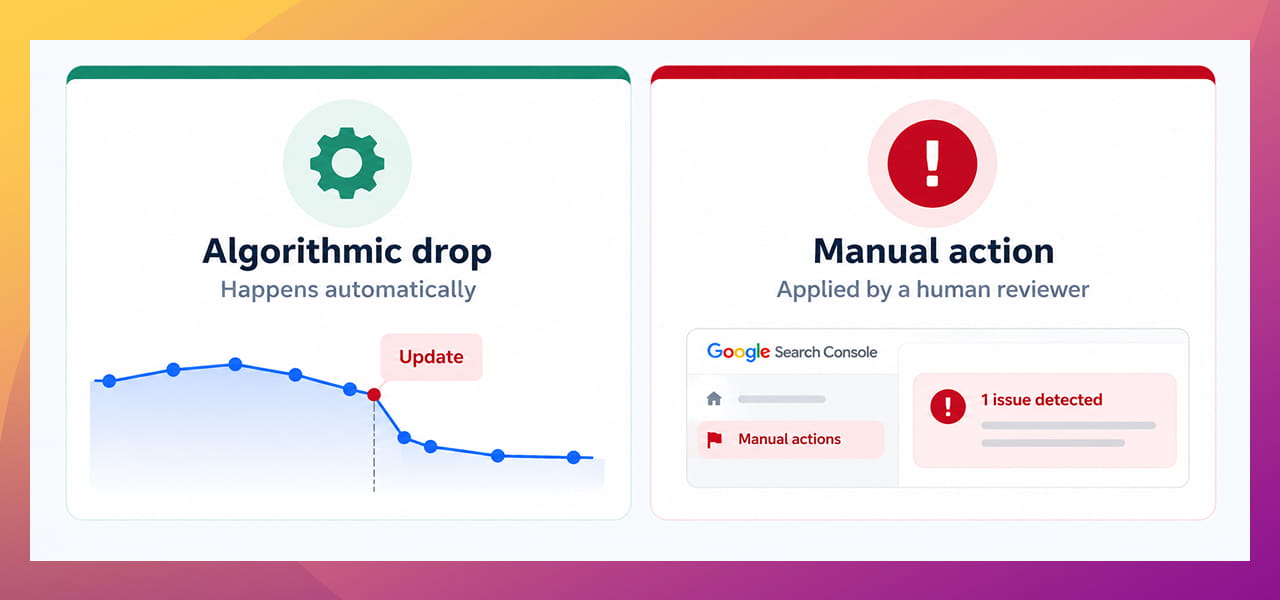
- An algorithmic drop happens automatically. Google’s systems (like a spam update) re-judge your pages, and your rankings move. Nobody tells you.
- A manual action is a penalty applied by a human reviewer at Google because your site broke its spam rules. Google tells you inside Search Console.
The good news is that manual actions are visible. You do not have to guess.
The 5-Minute Check
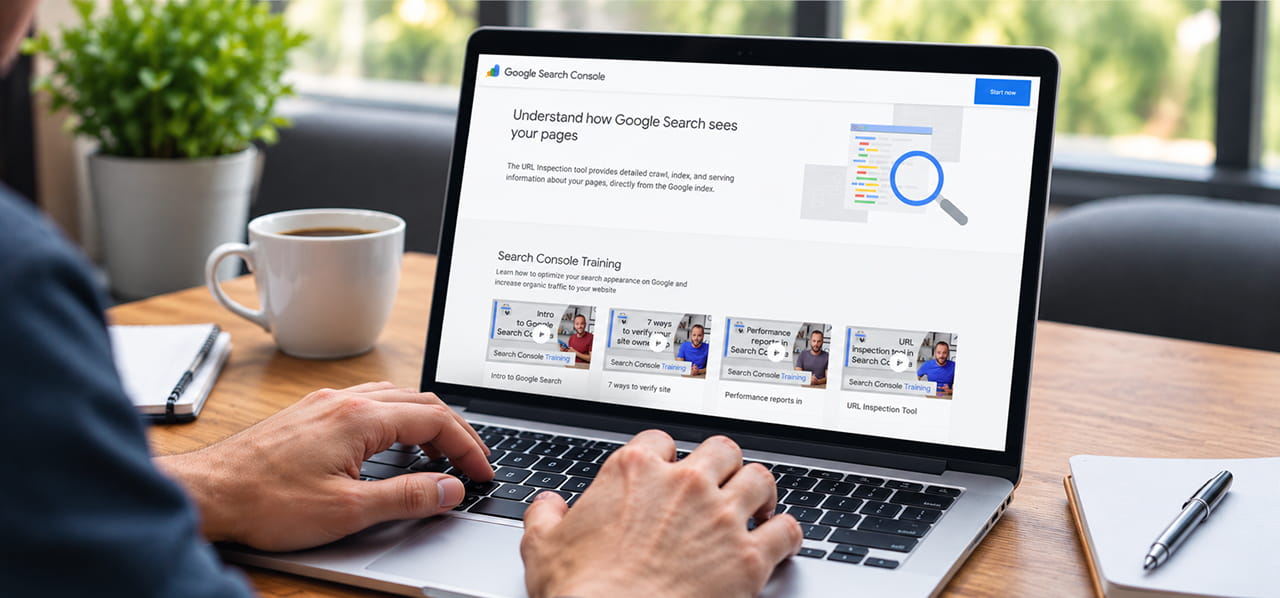
You need access to Google Search Console (the free tool where Google shows you how your site performs). If nobody on your team has it set up, that is the first thing to fix.
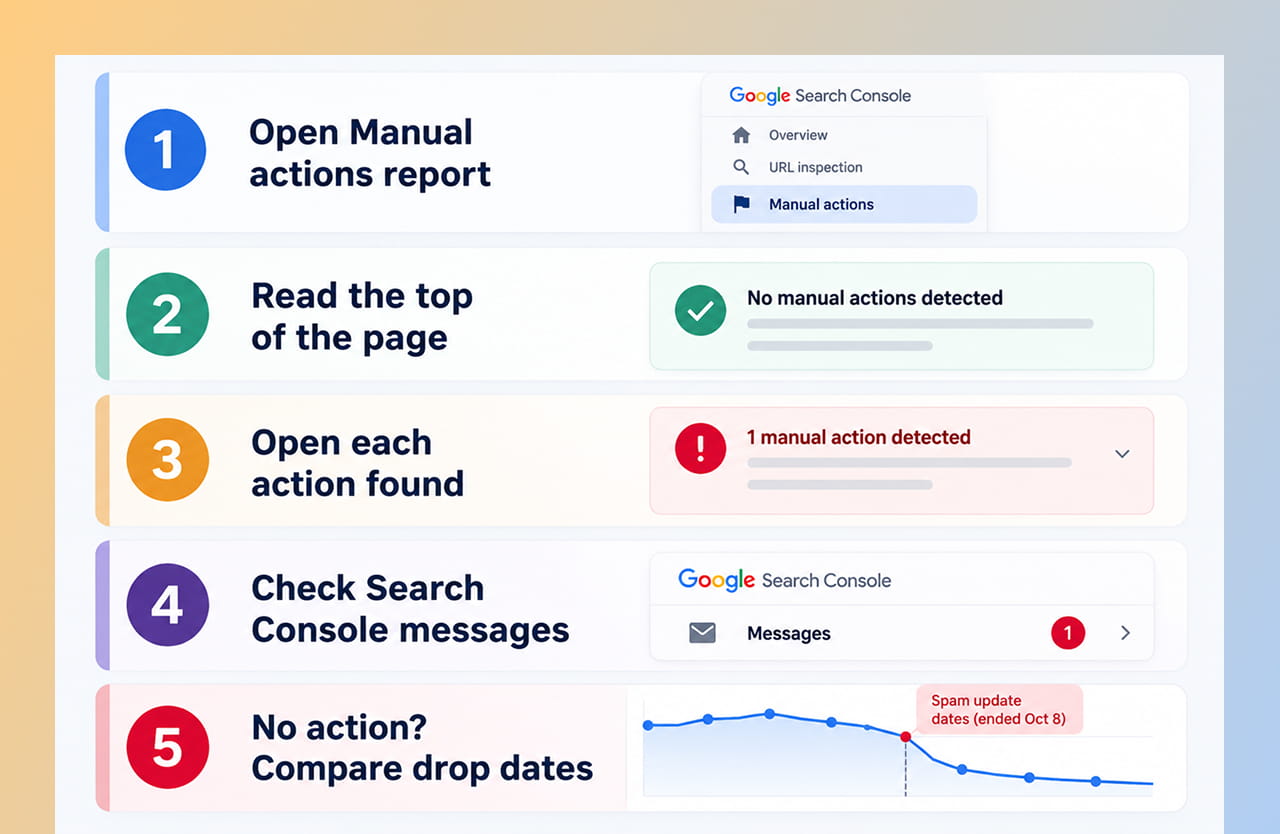
The five-step check for a Google manual action.
- Open the Manual actions report. In Search Console, look for “Manual actions” in the left menu, or go to the report directly.
- Read the top of the page. According to Google’s help page, if there are no manual actions you will see a green check mark. Otherwise it shows how many actions your site has.
- Open each action. Expand it to see the type, a short explanation and which pages are affected. It can cover part of your site or all of it.
- Check your messages. Google also sends a notice to the Search Console message center and by email, so look there too.
- No action but traffic dropped? Then it is probably algorithmic, not manual. Compare the date your traffic fell with the rollout period on Google’s Search Status Dashboard.
What Types of Problems Are People Seeing?
The reports mention these kinds of issues:
- Thin content: pages with little useful substance.
- Pure spam: pages built mainly to manipulate search results.
- Scaled content: large numbers of pages made automatically with little value for readers.
- User-generated spam and cloaking: spam in comments or forums, and showing Google different content than visitors see.
If you have been publishing lots of pages quickly, especially with AI tools and without careful checking, review those first.
If You Do Find a Manual Action
Do not panic, and do not rush a half-fix. Google’s instructions are clear:
- Identify the affected pages and read the “Learn more” guidance for that action type.
- Fix the issue on all affected pages. Google warns that fixing it on just some pages “will not earn you a partial return to search results.”
- Make sure Google can reach the pages. They should not be blocked by a login, a paywall, robots.txt or a noindex tag. The URL Inspection tool can test this.
- Click “Request Review” and explain the exact problem, what you did to fix it and the result.
- Wait. Do not resubmit until you get a final decision. Google says reviews can take several days or weeks.
How to Lower Your Risk
- Publish fewer, better pages instead of many thin ones.
- Have a person read every page before it goes live.
- Remove or improve old pages that add nothing.
- Clean up spam in comments and user-submitted sections.
- Keep your site fast and well organised. A clean website development setup makes problems easier to spot.
Quick Takeaways
- Google’s latest spam update has finished, and manual actions are a separate issue to check.
- SEOs report more manual actions, but Google has not confirmed a rise and the evidence is anecdotal.
- A manual action is a human-applied penalty, and Search Console tells you about it.
- The check takes five minutes: open the Manual actions report, read it, and check your messages.
- If you find one, fix every affected page before requesting a review.
Not Sure What Your Site’s Report Means?
If you find a penalty, or your traffic dropped and you cannot tell why, we can help you work out what happened and what to fix. Send us a note through our contact form and we will take a look.