
If you’ve ever run a Google Ads campaign yourself, you know the drill: something changes — clicks go up, cost goes up, conversions dip — and you have to go digging through menus, filters, and charts to figure out why. It’s often the most time-consuming, least enjoyable part of managing ads.
Google Ads AI dashboards are changing the way advertisers can explore campaign performance. Instead of manually selecting metrics, dimensions, and visualizations, advertisers can use natural language prompts to create visual reports and receive AI-generated summaries that help explain important performance changes. Google announced these new AI-powered reporting capabilities in 2026, with the rollout reaching advertiser accounts progressively.
Google just started rolling out a new tool aimed squarely at that problem, called AI Dashboards, and it’s beginning to appear inside real advertiser accounts now. Here’s what it actually does, and what it means for how you (or whoever manages your ads) will work going forward.
What Are Google Ads AI Dashboards?
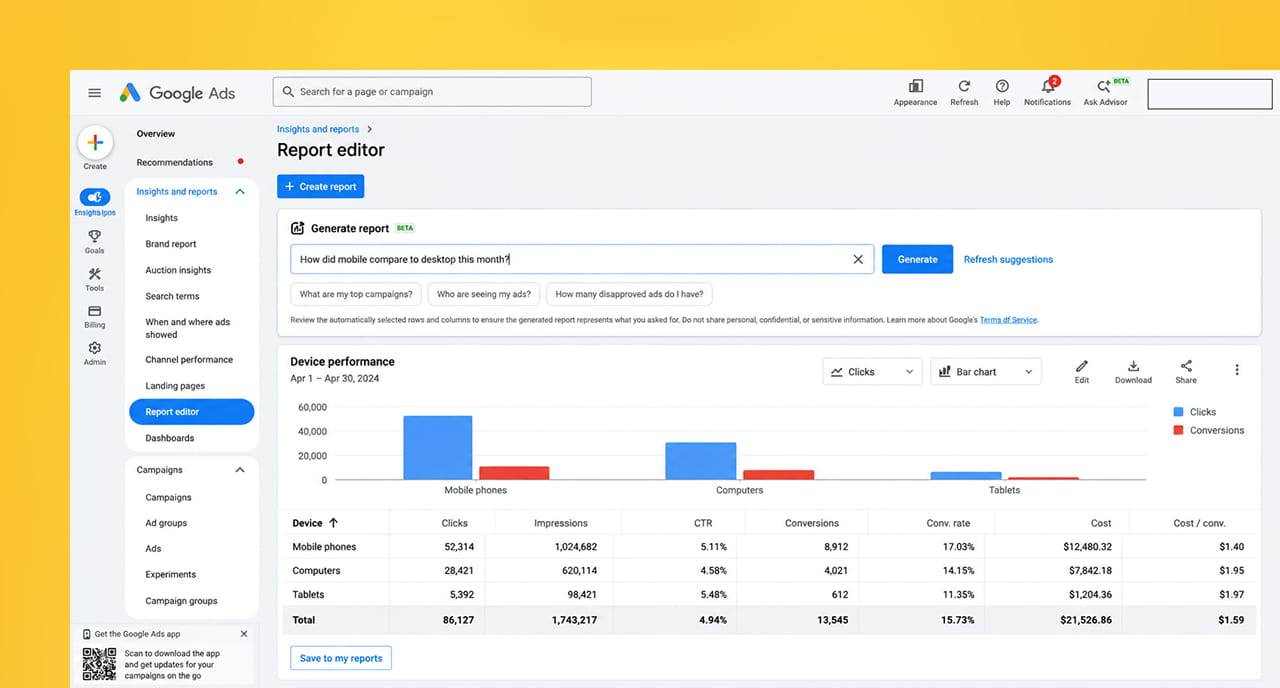
In the simplest terms: instead of manually building a report by clicking through metrics, filters, and chart types, you can now just type what you want to know in plain English, and Google’s AI (built on its Gemini technology) generates the chart, graph, or table for you automatically.
For example, instead of manually setting up a report to compare mobile versus desktop performance over the last 30 days, you could simply type something like “how did mobile compare to desktop this month” and get a visual answer in seconds.
Each report Google generates also comes with a short AI-written summary explaining what’s actually going on in the data — not just showing you numbers, but explaining the “why” behind them in plain language.
Why Google Built This
Traditionally, understanding what’s happening inside a Google Ads account required a fair amount of manual work: knowing which metrics to pull, which filters to apply, and how to read the results correctly. That’s a real barrier for a lot of small and mid-sized business owners who manage their own ads without a dedicated marketing team.
This update is part of a broader pattern from Google over the past year — adding AI assistants directly inside Google Ads (like a feature called Ask Advisor) that let advertisers ask plain-language questions instead of hunting for answers themselves. The goal, according to Google, is to reduce the manual work of building reports so more time can go into actually understanding and acting on the insights.
What This Means for You as an Advertiser
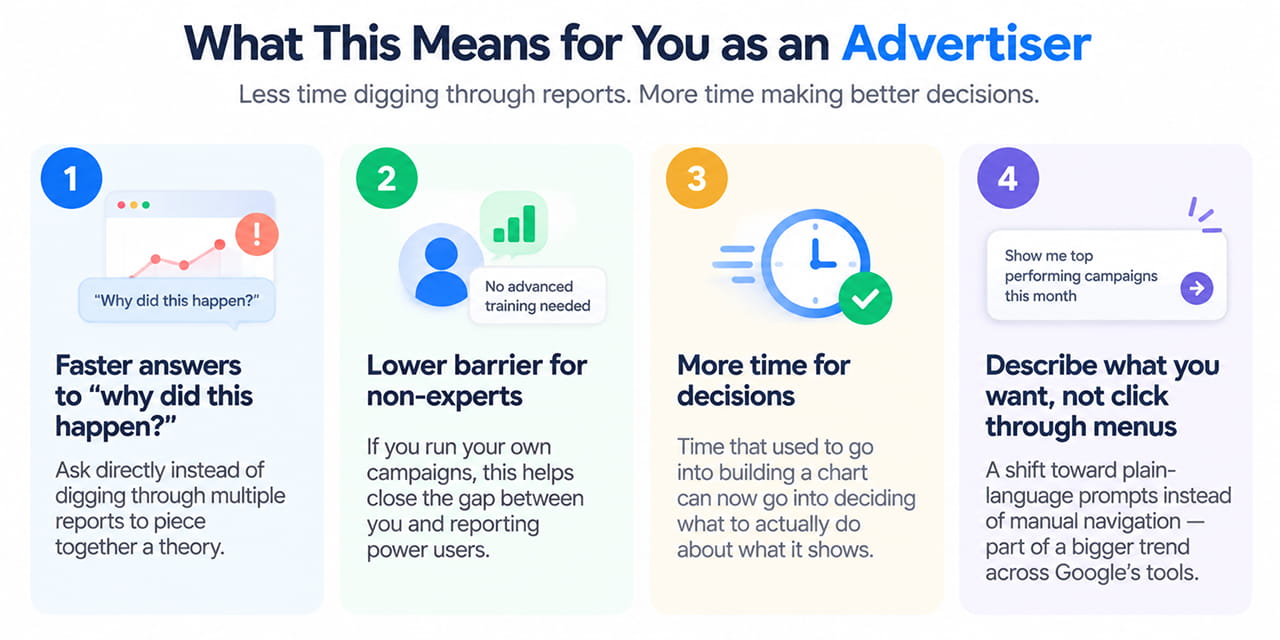
- Faster answers to “why did this happen?” If a campaign’s performance suddenly changes, you’ll be able to ask directly instead of digging through multiple reports to piece together a theory.
- Lower barrier to entry for non-experts. If you run your own campaigns without formal training, this closes some of the gap between you and someone who deeply understands the platform’s reporting tools.
- More time for decisions, less time for data wrangling. Time that used to go into building a chart can now go into deciding what to actually do about what the chart shows.
- A shift toward describing what you want, not clicking through menus to find it. This mirrors a broader trend across Google’s tools (and most software in general) — plain-language prompts replacing manual navigation.
A Word of Caution
As helpful as this sounds, it’s worth keeping a few things in mind, especially early in the rollout:
- The AI’s summary explains the data — it doesn’t replace your judgment. An AI-generated explanation of “why performance dropped” is a starting point for your own thinking, not a final verdict. Always sanity-check it against what you actually know about your business and your campaigns.
- The rollout is gradual. Not every account has access yet, and Google hasn’t published a country-by-country timeline, so don’t be surprised if you don’t see it in your account immediately.
- Getting a good answer requires asking a clear question. Vague prompts will get you vague reports — being specific about the time period, metric, and comparison you care about will get you much better results.
How to Get the Most Out of It Once You Have Access
- Start with the questions you already ask yourself regularly — “how did this campaign do this week,” “which device is converting best,” “why did cost per click go up” — these are exactly the kinds of prompts this tool is built for.
- Use the AI summary as a starting point for a conversation, not a final answer. Follow up with more specific prompts if the first summary raises more questions.
- Compare it against your own instincts occasionally, at least at first, until you build confidence in how accurately it’s interpreting your account’s data.
- Don’t abandon the fundamentals. Understanding your own campaigns, audience, and goals is still what makes any reporting tool — AI-powered or not — actually useful.
Quick Takeaways
- Google Ads is rolling out AI Dashboards, letting advertisers type plain-language prompts to generate visual reports instead of manually building them.
- Each report includes an AI-written summary explaining the likely reasons behind the numbers.
- This is part of a broader push from Google to make Google Ads reporting more accessible to non-experts.
- The rollout is gradual and details on availability by region haven’t been fully published yet.
- Treat AI-generated explanations as a helpful starting point, not a replacement for your own understanding of your business.
Want Help Making Sense of Your Google Ads Data — AI Dashboard or Not?
Whether or not this feature has reached your account yet, understanding what your ad performance is actually telling you is what turns spend into real results. Reach out through our contact form and we’ll help you make sense of it.