Did your ChatGPT visitors suddenly drop around October 9? Before you worry, check your “Direct” traffic. In early October, many websites saw ChatGPT traffic show up as Direct traffic in their analytics, which made a healthy source of visitors look like it had collapsed. The visits were mostly still happening. They had simply lost their name tag. If your reports are part of your digital marketing decisions, here is what happened, what has been fixed and how to check your own numbers.
First, How Does Analytics Know Where a Visitor Came From?
Tools like Google Analytics use two clues to label a visit:
- A tag on the link. This is called a UTM tag, a small label added to a web address (for example, utm_source=chatgpt.com) that says who sent the visitor.
- The referrer. This is the website the visitor clicked from, which the browser normally passes along.
If both clues are missing, analytics has nothing to go on. Google’s own help page explains that a session is treated as direct traffic when no information about the referral source is available. “Direct” becomes a catch-all box for visits it cannot explain.
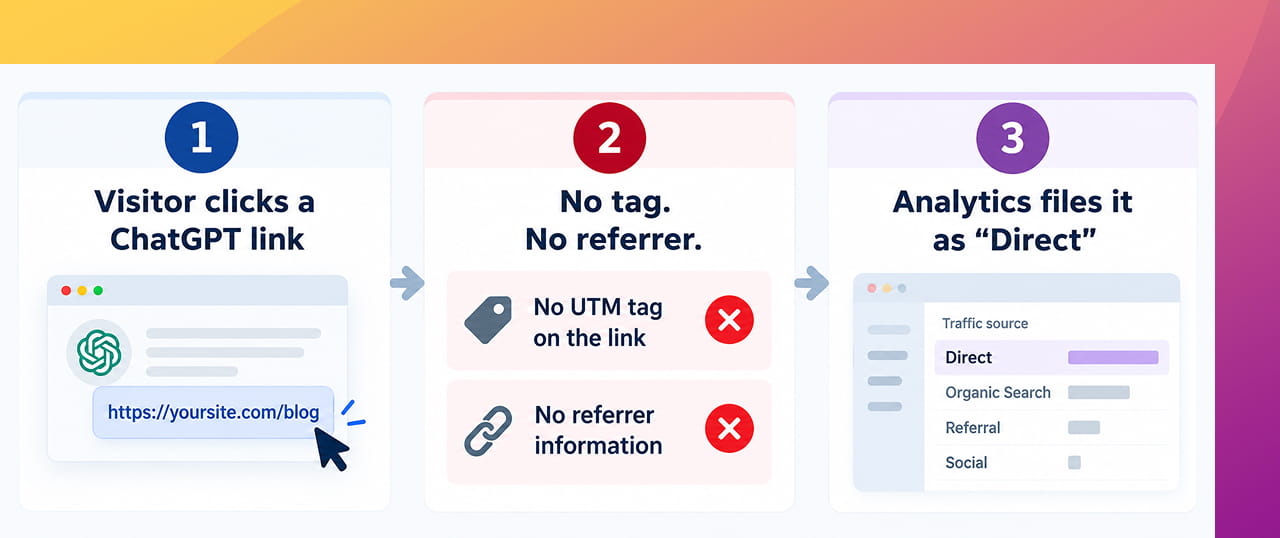
How a ChatGPT visit can end up labelled “Direct”.
What Changed in October
OpenAI began rolling out GPT-6 on October 7 for paid plans and October 8 for free plans, along with a new answer style it calls Intelligent UI, where answers can include pictures, buttons and interactive tools.
Soon after, analytics people noticed ChatGPT visits shrinking and Direct visits growing. Cedric Huesler of Adobe explained what he saw: links in the new version opened in a way that hid the referrer, and the chatgpt.com tag was missing. In his words, “there’s no tag and no referrer, so your analytics files the visit under direct.”
He compared about 500 pages where ChatGPT normally brings in at least 5% of visits, looking at October 9 to 13 against the week before:
- ChatGPT visits fell by about 31,000 a day.
- Direct visits rose by about 26,000 a day on the same pages.
- Direct traffic grew on two out of three pages that lost ChatGPT visits.
- Search traffic dipped only about 7%, in line with other sources, so the move was specific to ChatGPT.
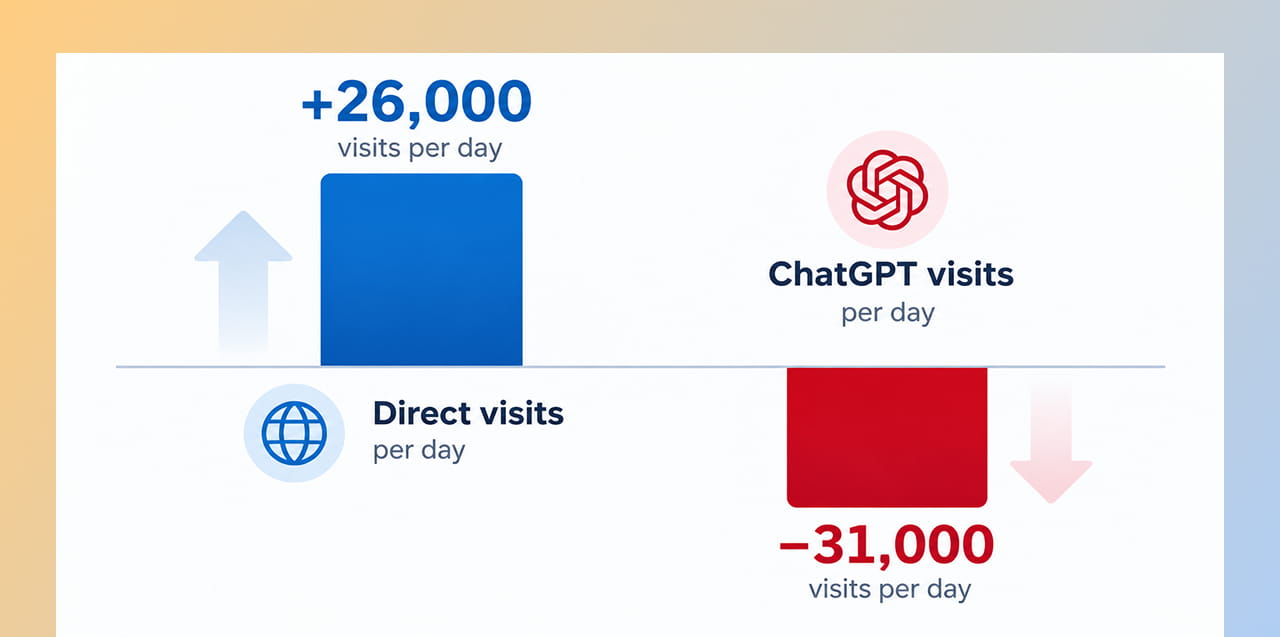
Visits that left the ChatGPT column showed up in the Direct column. Figures are from Adobe’s analysis of about 500 pages, October 9–13 compared with the week before.
Other Measurements Pointed the Same Way
One data source is easy to doubt, so here are two more:
- LLM Pulse, which tracks AI referral traffic from Google Analytics, found ChatGPT sessions down about 46% between October 9 and 11 compared with the same days in the previous two weeks. Total traffic on those sites fell only about 2%, and visits from Perplexity and Claude showed no break.
- Delante, an SEO agency, checked 12 of its own client projects and saw ChatGPT sessions fall in 11 of them, with a median drop of 40%. That is a small sample from one agency, so treat it as a clue, not proof.
The one site that did not drop was a local business whose ChatGPT visitors came through its Google Business Profile link, which still carried a tag.
The Update: It Was Reported as a Bug, and Tags Are Returning
On October 15, Huesler posted that OpenAI had told him it was a bug and that ChatGPT was tagging its links with the chatgpt.com tag again. He reported that by that morning, tagged ChatGPT clicks were back to roughly 95–100% of the same hour a week earlier across thousands of sites in Adobe’s data.
Some caveats are worth knowing:
- This is secondhand. We could not find a public statement from OpenAI, and the recovery numbers come from Adobe’s own data.
- The rollout may be uneven. Some people reported not seeing the fix right away.
- The referrer is still often missing. The tag is now the reliable clue, so untagged visits can still slip into Direct.
- Past data does not get fixed. Visits from roughly October 8 to 15 stay in Direct. There is no automatic re-labelling.
Did You Really Lose Traffic?
Probably not as much as your chart suggests, but no one can say for certain. LLM Pulse points out that the new answer style may also keep more people inside the chat, which would mean fewer real clicks. Analytics alone cannot separate “hidden visits” from “missing visits”.
The honest conclusion is that most of the dip appears to be mislabelled, and a small part may be real.
A 15-Minute Check for Your Own Site
You do not need special tools. Open Google Analytics and follow these steps (menu names can vary a little):
- Pick two windows. Compare October 1–7 with October 9–15, and later look at October 16 onwards.
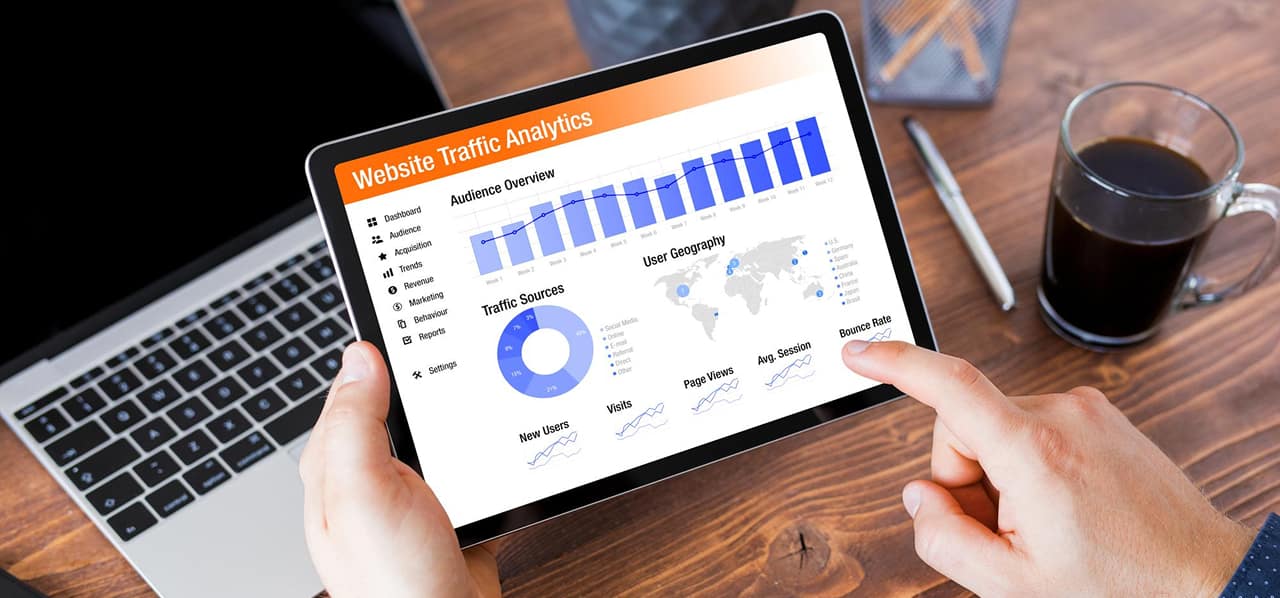
- Compare channels. In the traffic acquisition report, note ChatGPT (or AI) referral sessions and Direct sessions for each window.
- Look at Direct by landing page. If Direct jumped on blog posts or product pages that ChatGPT used to send people to, that is a strong sign. Genuine direct visitors usually arrive on your homepage.
- Check results, not channels. Compare total leads, calls or sales. If they held steady, your business did not lose ChatGPT customers, only their label.
- Add a note to your reports. Mark October 8–15 so nobody misreads the dip months from now.
- Ask people. Add a short “How did you hear about us?” field to your contact form. It catches visitors that analytics cannot see.
What Not to Do
- Do not tell a boss or client that ChatGPT traffic collapsed until you have checked Direct traffic.
- Do not abandon your content plans based on one week of data.
- Do not trust one channel alone. Look at total traffic and conversions together.
- Keep your own tagging tidy. Google recommends consistent UTM naming so traffic does not get filed in the wrong place.
Quick Takeaways
- ChatGPT visits can appear as Direct when a link carries no tag and no referrer.
- After GPT-6 launched in early October, Adobe, LLM Pulse and an SEO agency all saw ChatGPT drop and Direct rise.
- Reports say OpenAI called it a bug and tags returned from October 15, but OpenAI has not made a public statement that we could find.
- The October 8–15 visits stay in Direct, so annotate your reports.
- Compare Direct by landing page and look at total conversions before drawing conclusions.
Want Help Making Sense of Your Analytics?
If your reports show odd swings and you are not sure what they mean, we can check your setup and tracking with you. Reach out through our contact form and we will review it together. A well-built website with clean tracking makes this kind of problem much easier to spot.