Website speed has always been an important part of a good website, but it matters even more when visitors expect pages to load quickly and respond smoothly. People do not like waiting for a page to load. If a website is slow, visitors may leave before they see the products, services, or information they came to find.
Website speed optimization is essential for businesses that want to deliver fast, reliable digital experiences. Slow-loading pages can frustrate visitors, increase abandonment, and make it harder for users to engage with a website. Improving loading performance requires attention to images, code, hosting, caching, mobile performance, and other technical factors that influence how quickly pages become usable.
A slow website can also make it harder for visitors to complete a form, make a purchase, contact a business, or move from one page to another. That is why website speed should be treated as part of website development from the beginning, rather than as something to fix after a website is finished.
In 2026, businesses also need to consider how their websites perform on real devices and different internet connections. Google uses several performance measurements called Core Web Vitals to help evaluate the experience visitors have on a page.
Website Speed Optimization: What Are Core Web Vitals?
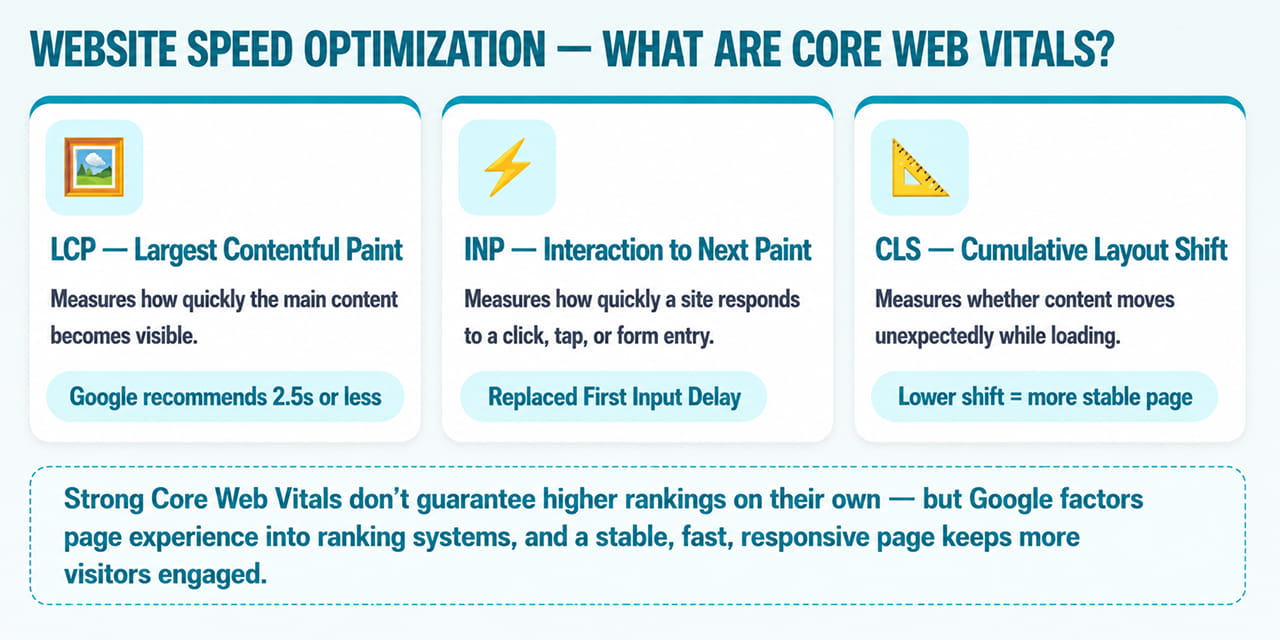
Core Web Vitals are measurements that help describe important parts of a webpage experience. You do not need to be a developer to understand the basic idea behind them. There are three main measurements: Largest Contentful Paint, Interaction to Next Paint, and Cumulative Layout Shift.
Largest Contentful Paint (LCP)
Largest Contentful Paint, or LCP, measures how quickly the main content on a page becomes visible. This could be a large image, a headline, or another major element near the top of the page.
Google recommends an LCP of 2.5 seconds or less. If someone opens your homepage and has to wait several seconds before the main image and headline appear, the page may need improvement.
Interaction to Next Paint (INP)
Interaction to Next Paint, or INP, measures how quickly a website responds when someone interacts with it. A visitor might click a menu, press a button, open a form, or select an option.
If the visitor clicks a button and the website takes several seconds to respond, the site can feel slow even when the page itself appeared to load quickly. INP replaced First Input Delay as one of Google’s Core Web Vitals.
Cumulative Layout Shift (CLS)
Cumulative Layout Shift, or CLS, measures whether content moves unexpectedly while a page is loading. Imagine that a visitor is about to click a button, but an image suddenly loads and pushes the button lower on the page. The visitor may end up clicking something else.
A good website should keep its layout stable as content loads. This makes the page easier and more comfortable to use.
Why Does Website Speed Matter?
Website speed affects how people experience a website. When a page loads and responds quickly, visitors can find information and take action more easily. When it is slow, they may leave before reaching an important page or completing an action.
Speed can also play a role in search performance. Google considers page experience signals as part of its ranking systems, although strong Core Web Vitals by themselves do not guarantee higher rankings.
For a business, the effect can go beyond search. Website visitors are potential customers, so a slow website can mean fewer people reaching a contact form, service page, product page, checkout, or other important part of the site.
What Usually Makes a Website Slow?
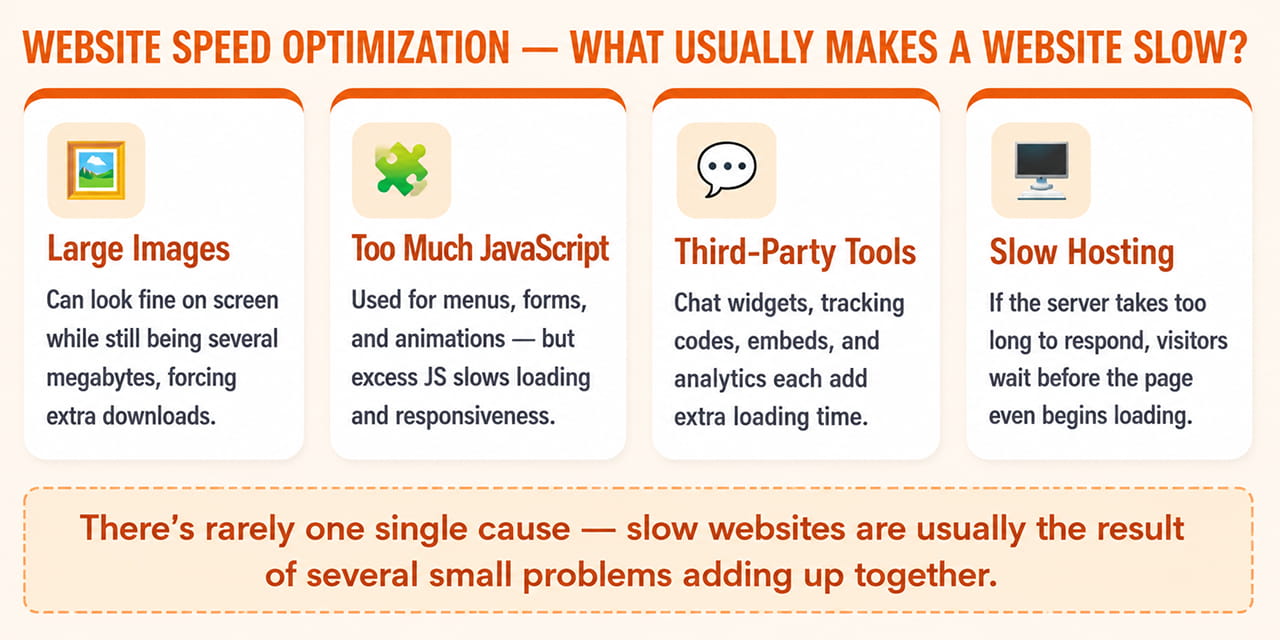
There is rarely one single reason why a website is slow. Several different problems can add up and create a poor experience.
Large images are one of the most common causes. An image may look perfectly fine on a desktop screen while still being several megabytes in size. When a page contains many large images, visitors may have to download a lot of unnecessary data before the page can finish loading.
JavaScript can also affect performance. Modern websites use JavaScript for menus, forms, animations, pop-ups, and other interactive features. However, too much JavaScript can make a page slower to load and slower to respond.
Third-party tools can add another layer of delay. Chat tools, tracking codes, social media widgets, videos, analytics services, and other external features all require additional resources to load.
Hosting matters as well. If the server takes too long to respond, the visitor may have to wait before the website can begin loading properly.
How Can You Improve LCP?
Improving LCP usually starts with identifying the largest piece of content that appears when the page loads. On many business websites, this is a large image or a prominent visual section near the top of the page.
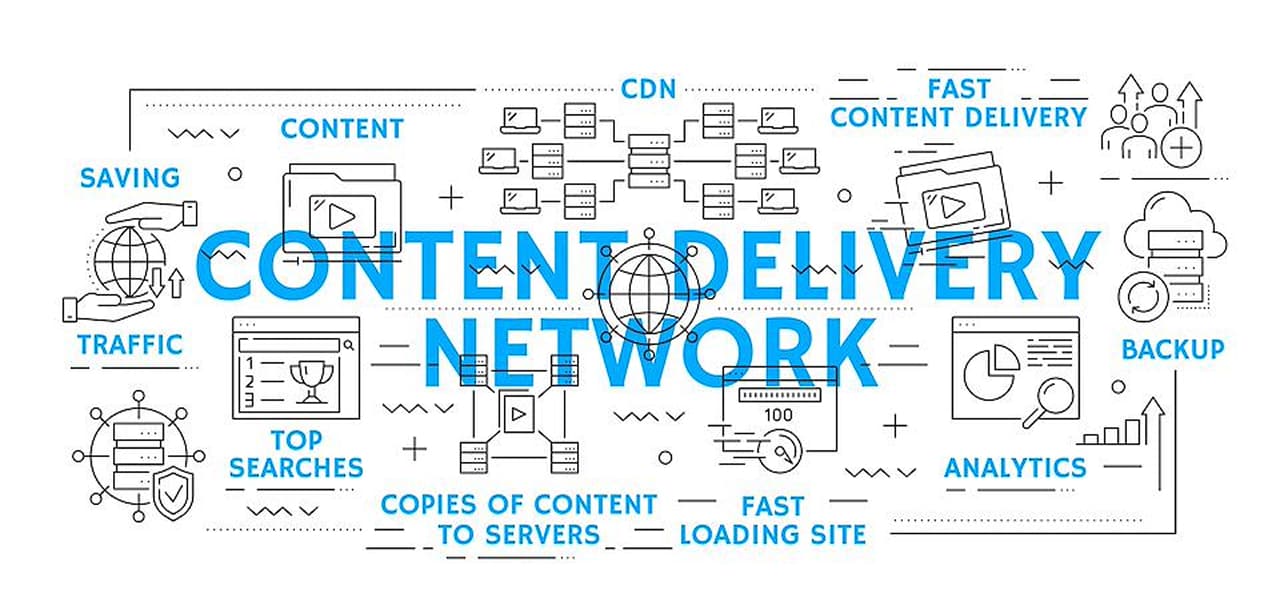
Compressing images and using modern formats such as WebP or AVIF can reduce file sizes without creating a noticeable loss in quality. A content delivery network, or CDN, can also help by storing website files on servers in different locations so visitors can receive them from a server that is closer to them.
It is also important to make sure the most important content loads before less important elements. If the main headline, image, or other key content is delayed by unnecessary scripts or resources, the page can feel slow even if the rest of the page loads quickly.
Hosting should be checked as well. If the server itself is slow, optimizing images and other files may not be enough to solve the problem.
How Can You Improve INP?
INP is mainly about how quickly a website responds when visitors interact with it. One common cause of poor responsiveness is too much JavaScript running in the background.
Start by identifying which scripts are actually necessary. If a script is no longer being used, removing it can reduce the work the browser has to perform. Chat tools, tracking codes, animations, pop-ups, and other third-party features can all add processing work.
This does not mean a website should remove every interactive feature. The goal is to keep the features that provide real value while avoiding unnecessary elements that make the site slower or less responsive.
How Can You Improve CLS?
CLS becomes easier to understand when you think about whether a page moves while it loads. Images and videos should have defined dimensions so the browser knows how much space they will need before they appear.
The same principle applies to advertisements, forms, embeds, and other content that loads after the main page. If a large image suddenly appears and pushes the text downward while someone is reading, the visitor has to adjust to the moving layout.
Keeping the layout stable makes the website more predictable and comfortable to use.
Do Images Affect Website Speed?
Yes. Images can have a major effect on page speed, especially on business websites with large banners, product images, portfolios, or other visual content.
The answer is not to remove images. Images are often an important part of good website design. The goal is to use the right image size and format for the situation.
Compress images before uploading them and use modern formats such as WebP or AVIF where appropriate. Images that are not visible when the page first loads can also be loaded later through a technique known as lazy loading. This reduces the amount of work required when the visitor first opens the page.
Does Website Hosting Affect Speed?
Yes. A website needs a server to store and deliver its files, and the server’s response time can affect how quickly a page begins loading.
This can be especially important for older websites that use outdated hosting or have become much larger over time. Moving to better hosting can sometimes make a noticeable difference.
However, hosting is only one part of website performance. A well-built website can still be slow if it contains oversized images, unnecessary scripts, or poorly optimized code. Improving speed usually requires looking at the website as a whole.
What About Plugins and Third-Party Tools?
Plugins and third-party tools can make a website more useful, but adding too many can also make it slower. This is particularly important for WordPress websites, where businesses often install plugins for forms, analytics, security, pop-ups, chat, social media, backups, and other functions.
Over time, some of those plugins may no longer be needed. Reviewing plugins regularly and removing anything unnecessary can reduce the amount of code and resources the website has to load.
The same idea applies to third-party scripts. If a tool is not providing enough value to justify the additional loading time, it may be worth removing or replacing it.
How Can You Check Your Website Speed?
Several tools can help you understand website performance. Google PageSpeed Insights is a useful starting point because it provides performance information and identifies areas that may need attention.
Google Search Console can help you review Core Web Vitals across your website instead of looking at only one page. GTmetrix provides more detailed information about what is loading on a page and where delays may be happening. WebPageTest can also be useful when you want to test performance under different conditions.
These tools are helpful, but a score is not the whole story. A website can receive a good testing score and still feel slow to a real visitor. Always consider the actual experience on different devices and connections.
A Simple Approach to Improving Website Speed
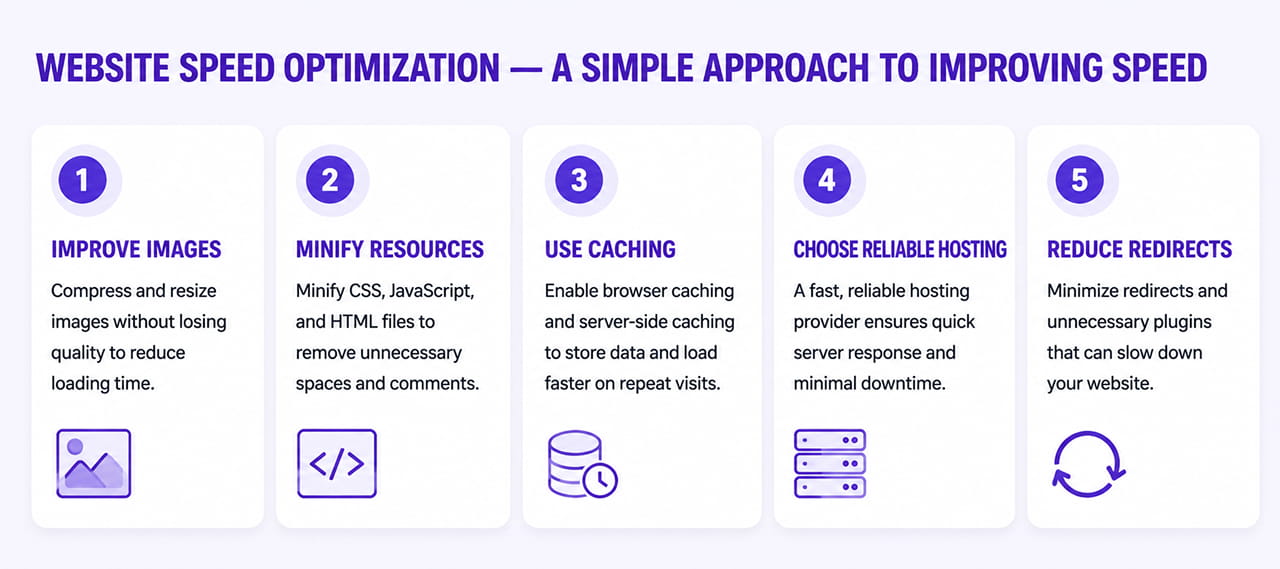
If your website feels slow, start with the most obvious areas. Test your main pages using PageSpeed Insights, including the homepage and important service, product, or landing pages.
Next, review the images on those pages. Large image files are often among the easiest performance problems to identify. After that, look at plugins and third-party scripts and remove anything that is unnecessary.
You should also review your hosting and make sure the website is using current technologies and properly configured caching. After making changes, test the website again so you can see whether the changes actually improved performance.
Is Website Speed a One-Time Fix?
No. Website performance needs ongoing attention because websites change over time.
A business may add new pages, images, videos, plugins, tracking tools, forms, and other features. Each addition can affect performance. A website that was fast when it launched may become noticeably slower a year later simply because more content and functionality have been added.
Regular testing helps businesses identify these problems before they become bigger issues. Website speed should be treated as part of ongoing website maintenance rather than a one-time project.
Website Speed and Website Design
Website design and website speed need to work together. A website can look impressive but still perform poorly if it relies on very large images, excessive animations, or unnecessary visual effects.
Good website design should make a site attractive without making it difficult or slow to use. This is especially important on mobile devices, where visitors may be using slower connections or less powerful hardware.
Businesses planning a new website should think about performance from the beginning instead of trying to fix it after the site is complete. Professional website development can help build performance into the structure of the website from the start.
What Should Businesses Focus on in 2026?
The goal should not be to chase a perfect score in a testing tool. The real goal is to create a website that is fast, responsive, stable, and easy for visitors to use.
Start with the problems that have the biggest effect on visitors. Large images, slow hosting, unnecessary scripts, and poorly optimized pages are often good places to begin. Once the major problems have been fixed, continue checking the website as new content and features are added.
This ongoing approach is more useful than making a website fast once and then never checking its performance again. A fast website also supports a broader digital marketing strategy because visitors are more likely to have a positive experience when they arrive from search, advertising, social media, or other marketing channels.
Is Your Website Fast Enough to Compete in 2026?
A slow website can affect more than user experience. It can influence engagement, conversions, search performance, and the overall effectiveness of your digital presence.
Reach out through our contact form and we’ll get back to you promptly. Let’s identify the performance issues slowing your website down and create a speed optimization strategy that improves Core Web Vitals, user experience, and long-term website performance.