WordPress security is essential for protecting your website, customer data, and business reputation. While WordPress core is designed with security in mind, most attacks target outdated plugins, themes, weak passwords, and poor server configurations. Following proven WordPress security best practices—including timely updates, strong authentication, regular backups, malware scanning, and secure hosting—helps reduce security risks and maintain a reliable website.
WordPress now powers well over 40% of all websites, and that popularity comes with a cost: it’s the single most targeted platform for automated bots scanning for outdated plugins, weak logins, and misconfigured settings. If your site is live right now, it’s almost certainly being probed. The good news is that solid protection doesn’t require a security background — it requires a consistent set of practices. If you’d rather have specialists handle this end to end, Adroitte’s website development services build security into every site from day one rather than bolting it on afterward. Here are 15 best practices every business running WordPress should have in place in 2026.
Why WordPress Security Can’t Be an Afterthought
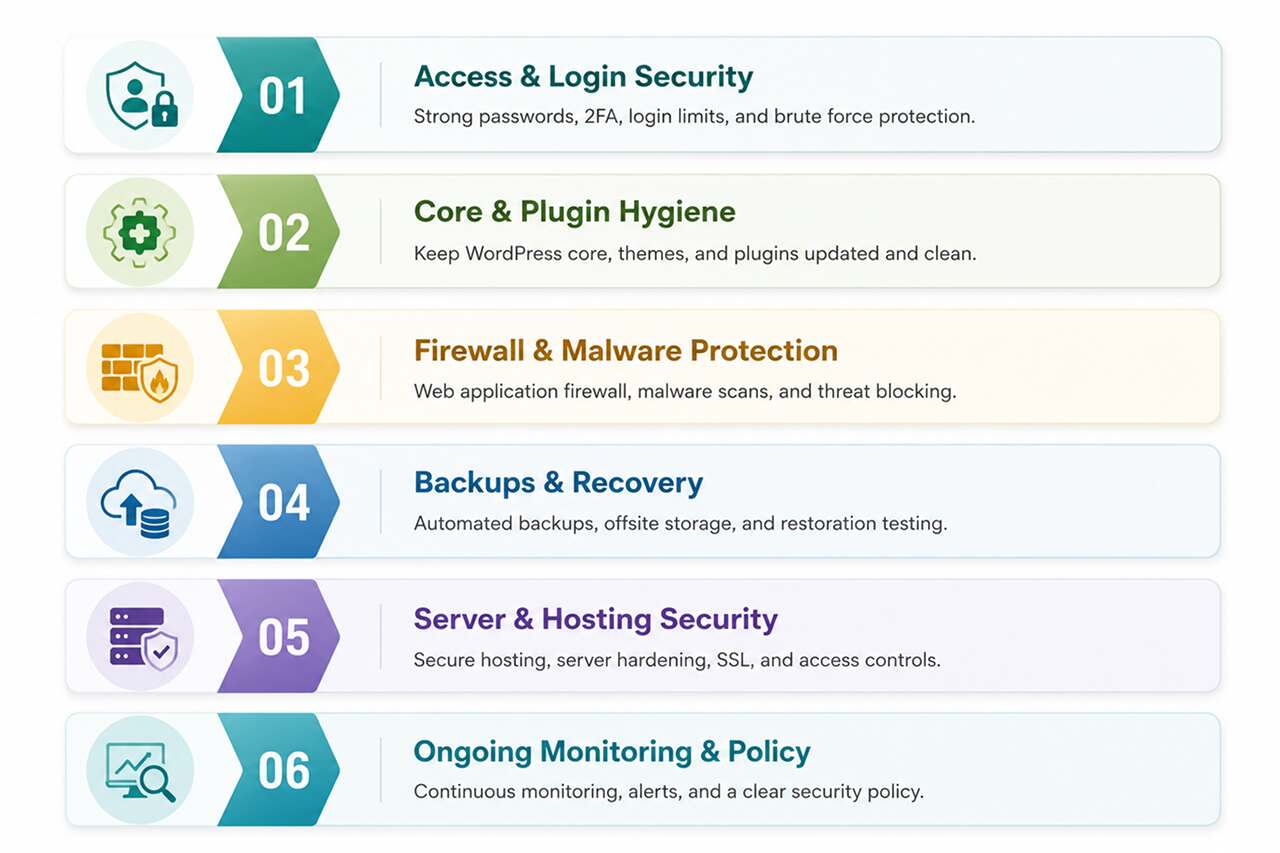
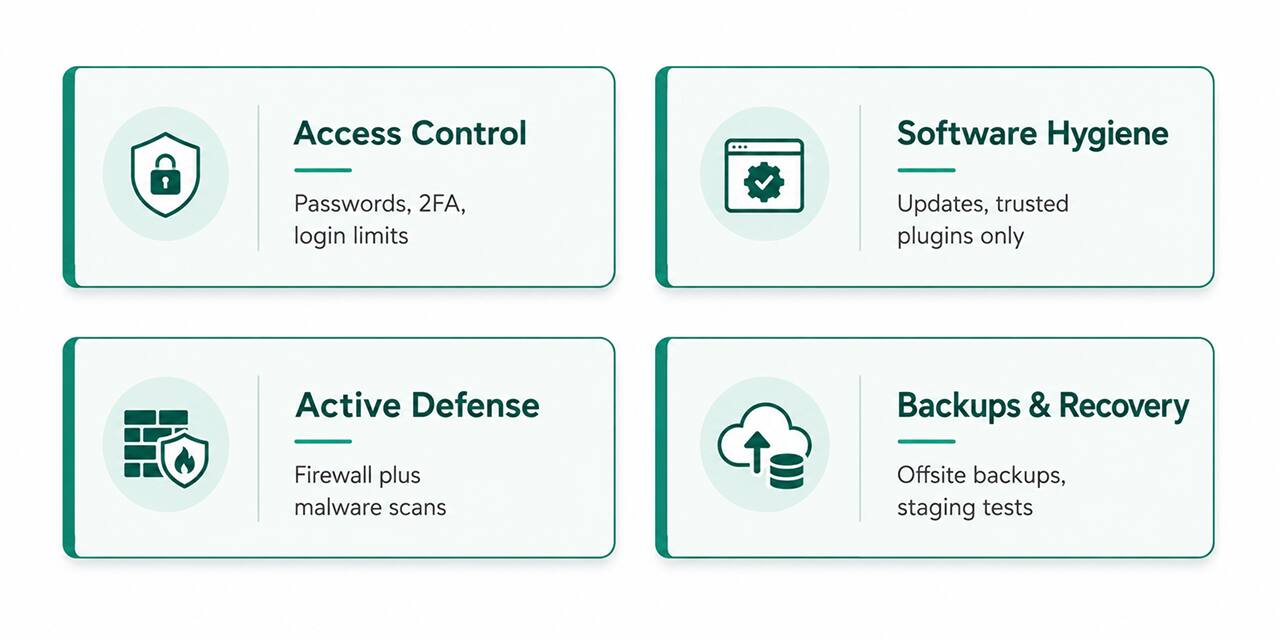
In the past year, tens of thousands of WordPress sites reported vulnerabilities traced back to weak passwords, outdated plugins, old themes, and configuration gaps — the kind of issues automated attacks find far faster than most site owners notice them. A breach isn’t just a technical problem: it can mean downtime, blacklisting by Google, lost customer data, and real damage to trust. The practices below cover the four core protection layers — access control, software hygiene, active defense, and recovery — because no single fix covers all of them.
Access & Login Security
- Use strong, unique passwords for every account. Shared or reused passwords are still one of the most common ways WordPress sites get compromised. Every admin, editor, and contributor account needs its own strong password, not a variation of the same one.
- Turn on two-factor authentication (2FA). Even a leaked password becomes far less dangerous once a second verification step is required. Most modern security plugins include 2FA as a standard feature.
- Limit login attempts. Automated bots try thousands of password combinations per minute. Locking an account or IP address out after a handful of failed attempts stops brute-force attacks before they get anywhere.
- Hide or rename your login page. The default /wp-admin and /wp-login.php URLs are the first thing bots check. Moving your login page to a custom URL removes your site from a huge share of automated scans without any real downside.
Core, Theme & Plugin Hygiene
- Keep WordPress core, themes, and plugins updated. Outdated software is the single most common entry point for attackers. Enable automatic updates for minor releases at minimum, and review major updates promptly rather than letting them sit for weeks.
- Remove plugins and themes you’re not using. Inactive software still gets scanned for vulnerabilities even when it’s not running. If you’re not using it, delete it rather than just deactivating it.
- Only install plugins from reputable sources. Stick to the official WordPress.org repository or well-known premium vendors, and check a plugin’s update history and support activity before installing it — abandoned plugins are a known supply-chain risk.
Firewall & Malware Protection
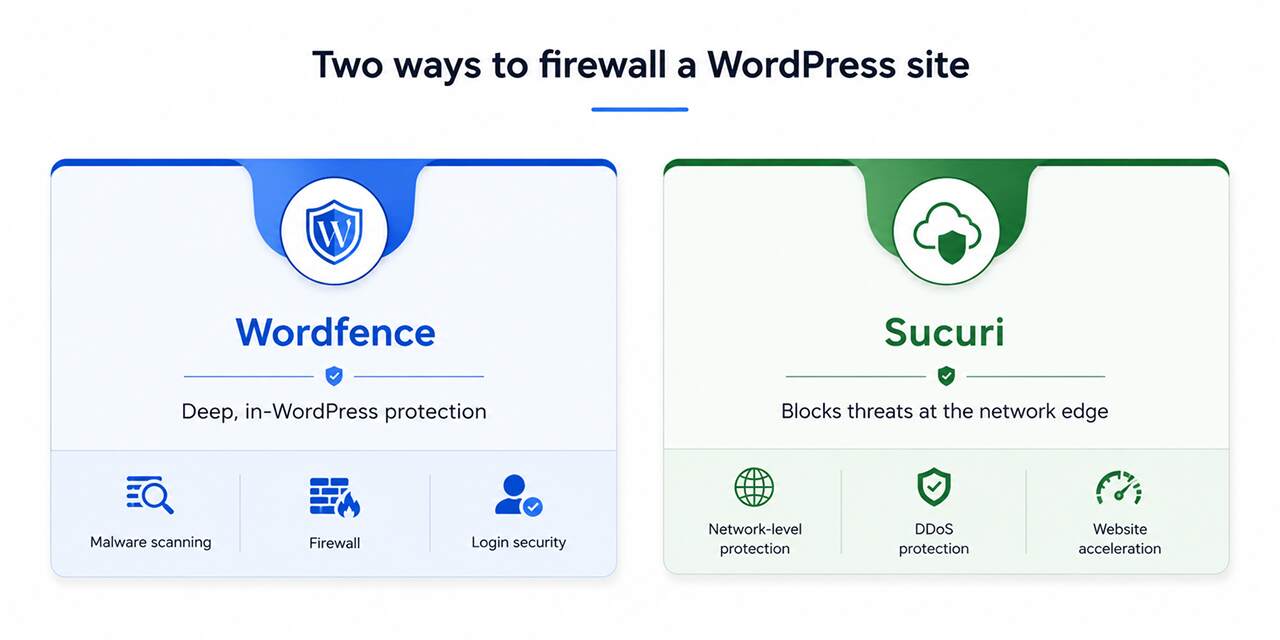
- Install a web application firewall (WAF). A firewall filters malicious traffic before it ever reaches your site. Wordfence runs inside WordPress and gives deep, application-level visibility, while Sucuri operates at the network edge, blocking threats before they touch your server at all — many businesses combine both approaches for layered protection.
- Run regular malware scans. Beyond a firewall, scanning tools like MalCare and Solid Security (formerly iThemes Security) check your files against known-clean baselines and flag anything that’s been tampered with, often before you’d notice anything wrong on the surface.
Backups & Recovery
- Automate offsite backups. A backup stored on the same server as your site doesn’t protect you if that server is compromised. Automated, offsite backups — daily at minimum for active business sites — mean a hack or bad update is a minor inconvenience instead of a disaster.
- Test updates on a staging site first. Applying a major plugin or theme update directly to your live site risks breaking something your customers see immediately. A staging environment lets you catch conflicts before they go live.
Server & Hosting-Level Security
- Enforce HTTPS everywhere. An SSL certificate isn’t optional anymore — browsers actively warn visitors away from sites without one, and Google factors HTTPS into rankings. Make sure every page redirects to HTTPS, not just your homepage.
- Choose managed WordPress hosting where possible. Managed hosts typically include server-level firewalls, malware scanning, and automatic core updates as part of the package, adding a layer of protection that’s harder to replicate on generic shared hosting.
Ongoing Monitoring & Policy
- Turn on activity logging and alerts. Knowing who changed what, and when, matters both for catching suspicious activity early and for troubleshooting when something breaks. Most security plugins include activity logs as standard.
- Apply least-privilege user roles. Not every team member needs administrator access. Assign the lowest role that lets each person do their job — editors don’t need plugin access, and contributors don’t need publishing rights — so a single compromised account can’t take down the whole site.
A Layered Approach Is the Only Real Approach
No single plugin or setting covers everything on this list, and installing four overlapping security plugins at once tends to create conflicts rather than better protection. The sites that hold up best in 2026 combine one hardening plugin, one firewall or edge-level defense, disciplined update habits, and automated backups — reviewed on a regular schedule rather than set up once and forgotten. Security is not a one-time task; it’s an ongoing discipline, the same way locking your office door is something you do every day, not something you configure once.
It’s also worth remembering what these practices are protecting against in practical terms. A compromised business site doesn’t just mean downtime — search engines routinely blacklist infected sites, which can wipe out months of SEO progress overnight, and customer trust doesn’t return quickly once a site has been flagged as unsafe. Treating security as part of routine site maintenance, rather than a one-time setup task, is what actually keeps a WordPress site off that list.
Ready to protect your WordPress website from evolving security threats? Reach out through our contact form and we’ll get back to you promptly. Let’s implement the right security measures, performance optimizations, and maintenance practices to keep your website safe, reliable, and ready for long-term growth.